|
|
| Line 80: |
Line 80: |
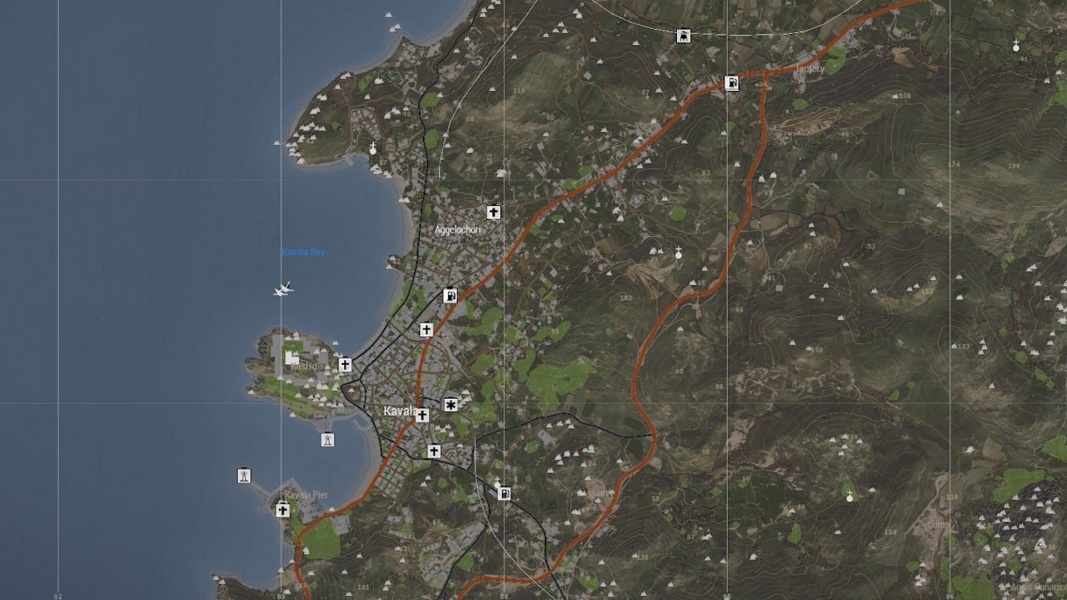
| File:DarkMap.jpg|<span style="color:#c1c1b8">The map with Darkmode.</span> | | File:DarkMap.jpg|<span style="color:#c1c1b8">The map with Darkmode.</span> |
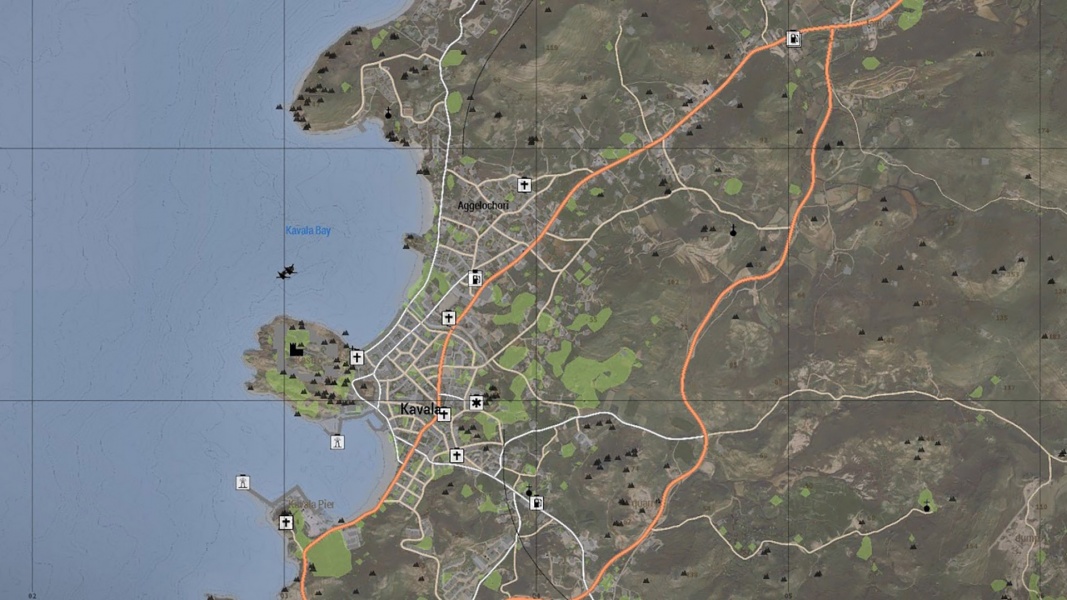
| File:VanillaMap.jpg|<span style="color:#c1c1b8">The vanilla map.</span> | | File:VanillaMap.jpg|<span style="color:#c1c1b8">The vanilla map.</span> |
| </gallery>
| |
|
| |
| =='''Conquest Map Mods'''==
| |
| Many conquest map options are not vanilla maps. You must download the required mods to play on these maps. All available maps are dependent on [https://steamcommunity.com/sharedfiles/filedetails/?id=583496184 CUP Terrains - Core] to be played.
| |
|
| |
| ==='''CUP Terrains - Core'''===
| |
| This contains all the buildings, objects, and core data required for the modded conquest maps.
| |
|
| |
| Subscribe [https://steamcommunity.com/sharedfiles/filedetails/?id=583496184 here].
| |
|
| |
| ==='''CUP Terrains - CWA'''===
| |
| This is the CWA TERRAINS pack. It contains 5 maps from Arma: Cold War Assault and the expansion: Everon, Malden, Kolgujev, Nogova, and Desert Island.
| |
|
| |
| Subscribe [https://steamcommunity.com/sharedfiles/filedetails/?id=853743366 here].
| |
|
| |
| <gallery mode=packed heights=400px>
| |
| File:everon.png|<span style="color:#c1c1b8">Map of Everon.</span>
| |
| File:maldenMod.png|<span style="color:#c1c1b8">Map of Malden.</span>
| |
| File:kolgujev.png|<span style="color:#c1c1b8">Map of Kolgujev.</span>
| |
| File:nogova.png|<span style="color:#c1c1b8">Map of Nogova.</span>
| |
| File:Desert Island.png|<span style="color:#c1c1b8">Map of Desert Island.</span>
| |
| </gallery>
| |
|
| |
| ==='''CUP Terrains - Maps'''===
| |
| This contains many maps from the previous Arma titles as well as community maps and edits. All the maps available from this mod are listed.
| |
|
| |
| Subscribe [https://steamcommunity.com/sharedfiles/filedetails/?id=583544987 here].
| |
|
| |
| <gallery mode=packed heights=400px>
| |
| File:ChernarusWinter.png|<span style="color:#c1c1b8">Map of Winter Chernarus.</span>
| |
| File:Sahrani.png|<span style="color:#c1c1b8">Map of Sahrani.</span>
| |
| File:Takistan.png|<span style="color:#c1c1b8">Map of Takistan.</span>
| |
| </gallery>
| |
|
| |
|
| |
| ==='''Chernarus'''===
| |
| This map requires [https://steamcommunity.com/sharedfiles/filedetails/?id=583496184 CUP Terrains - Core] to be played, but it is an independent mod from CUP Terrains - Maps.
| |
|
| |
| Subscribe [https://steamcommunity.com/sharedfiles/filedetails/?id=1113631358 here].
| |
|
| |
| <gallery mode=packed heights=400px>
| |
| File:Chernarus.jpg|<span style="color:#c1c1b8">Map of Chernarus.</span>
| |
| </gallery>
| |
|
| |
| ==='''Kujari'''===
| |
| This map requires [https://steamcommunity.com/sharedfiles/filedetails/?id=583496184 CUP Terrains - Core] to be played, but it is an independent mod from CUP Terrains - Maps.
| |
|
| |
| Subscribe [https://steamcommunity.com/sharedfiles/filedetails/?id=1726494027&searchtext=Kujari here].
| |
|
| |
| <gallery mode=packed heights=400px>
| |
| File:Kujari.png|<span style="color:#c1c1b8">Map of Kujari.</span>
| |
| </gallery>
| |
|
| |
| ==='''Malden Islands'''===
| |
| This map requires [https://steamcommunity.com/sharedfiles/filedetails/?id=583496184 CUP Terrains - Core], [https://steamcommunity.com/sharedfiles/filedetails/?id=583544987 CUP Terrains - Maps], [https://steamcommunity.com/sharedfiles/filedetails/?id=2619482217 Cold War Rearmed III - Malden Islands], and [https://steamcommunity.com/sharedfiles/filedetails/?id=853743366 CUP Terrains - CWA] to be played.
| |
|
| |
| Subscribe [https://steamcommunity.com/sharedfiles/filedetails/?id=2619482217 here].
| |
|
| |
| <gallery mode=packed heights=400px>
| |
| File:Malden Islands.png|<span style="color:#c1c1b8">Map of the Malden Islands.</span>
| |
| </gallery>
| |
|
| |
| ==='''Bozcaada'''===
| |
| This map requires [https://steamcommunity.com/sharedfiles/filedetails/?id=583496184 CUP Terrains - Core] and [https://steamcommunity.com/workshop/filedetails/?id=524622628 Bozcaada] to be played.
| |
|
| |
| Subscribe [https://steamcommunity.com/workshop/filedetails/?id=524622628 here].
| |
|
| |
| <gallery mode=packed heights=400px>
| |
| File:bozcaada2.png|<span style="color:#c1c1b8">Map of Bozcaada.</span>
| |
| </gallery> | | </gallery> |
Client-Side Mods
There are several optional mods that can be downloaded and used for your personal experience. The mods you choose to install do not affect other players, as they can only be seen by you. Use them at your own risk, as they may impact performance. Not all available mods will be compatible with each other, and some may depend on others. All available mods are listed below.
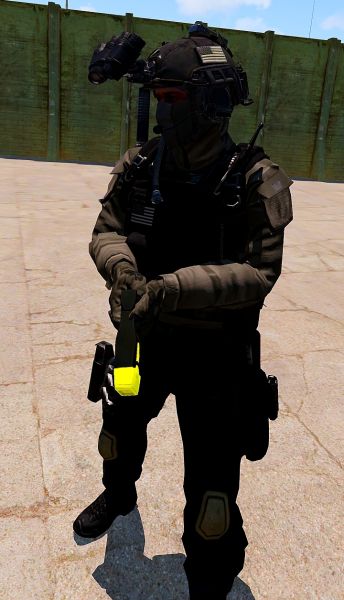
This optional mod will give you different cosmetic visuals for items already existing in the game.
- Retextures of Vanilla Arma Models
- Arma 3 Vanilla UI
- Helmet Models
- Retextures of Police Cosmetics
Subscribe here.
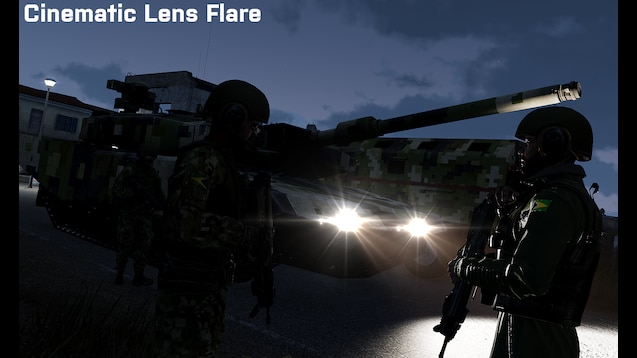
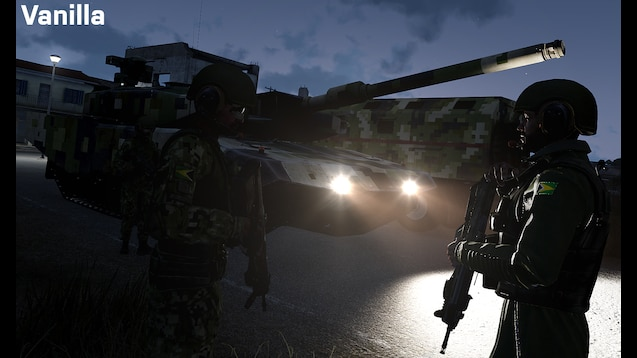
Cinematic Lens Flare
This is a small add-on that replaces the vanilla lens flare effect with the more cinematic texture from the alpha.
Subscribe here.
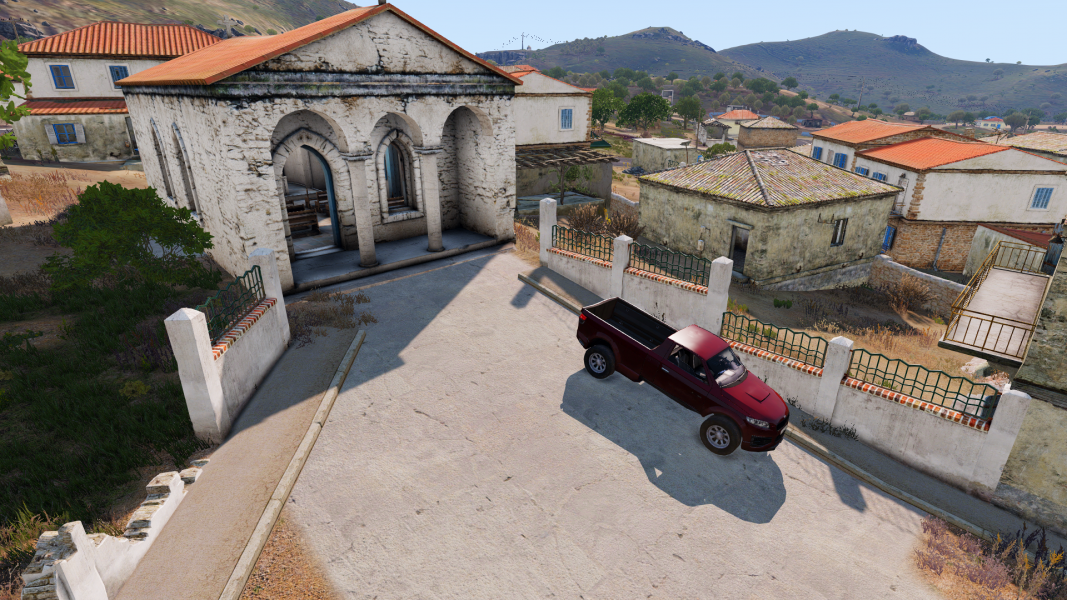
The Cinematic Lighting Replacement mod.
The vanilla Altis lighting.
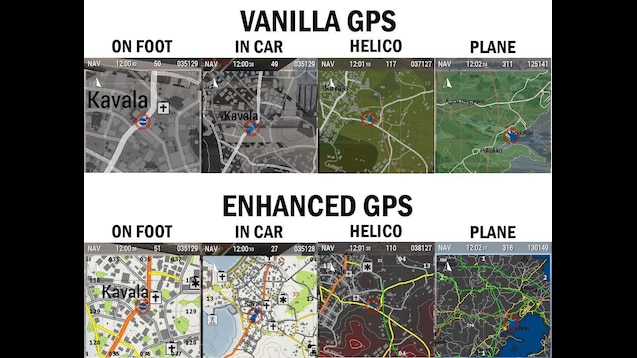
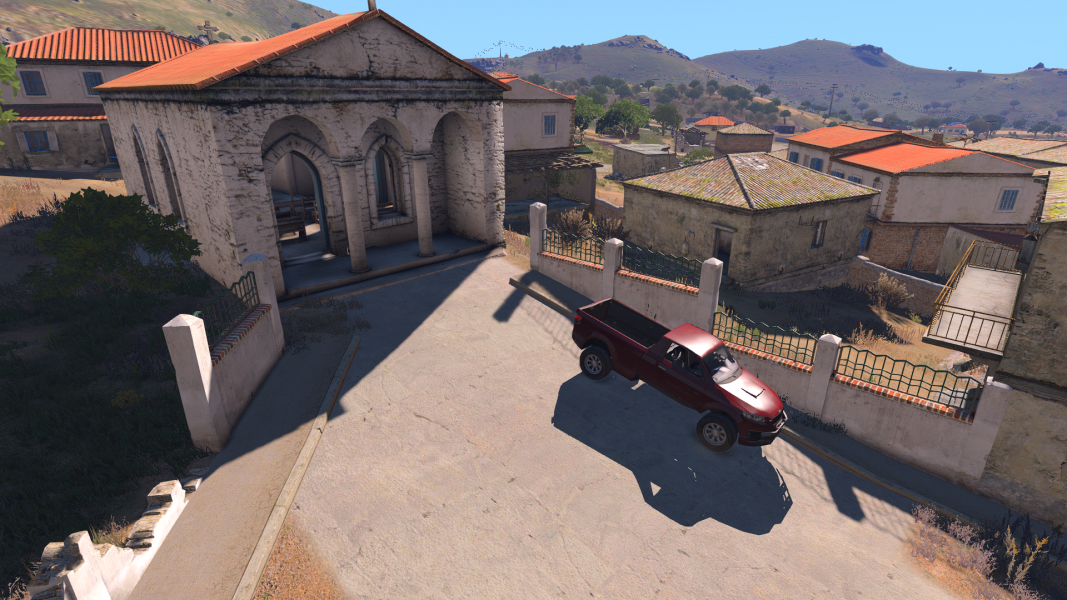
Enhanced GPS
Makes the Arma 3 vanilla GPS readable and suitable for use.
Adds a High contrast version for helicopters and planes, to see obstacles clearly and dodge them easily.
On the High contrast version, power lines are marked in green. Terrain at your altitude level or above is marked in red areas. Compatible with Map Darkmode.
Subscribe here.
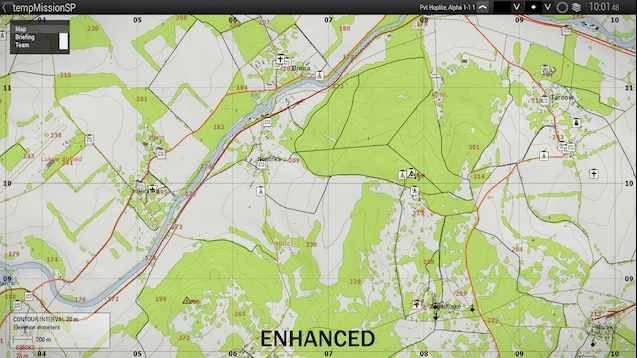
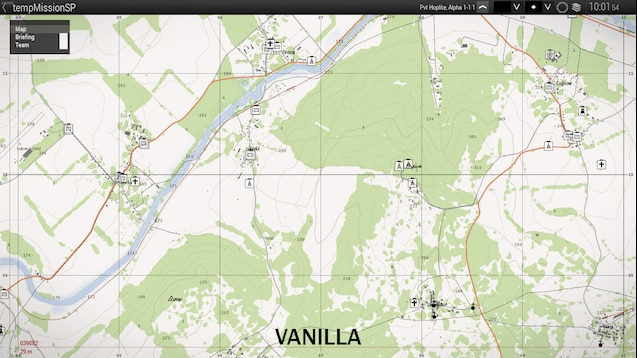
Enhanced Map
Makes the Arma 3 map look like a real Topographic map.
Other changes include better Satellite view, better colors and enhanced readability. Compatible with Map Darkmode.
Subscribe here.
Livonia Lighting Replacement
This is a relatively low performance-altering mod that replaces the altis lighting with the lighting from Livonia, giving the island a warmer atmosphere. It is not compatible with Splendid Lighting Modification.
Subscribe here.
The Livonia Lighting Replacement mod.
The vanilla Altis lighting.
Splendid Lighting Modification
This modifies the lighting and shadows of terrain and objects to better fit in with the weather and time, making it seem more realistic. It is not compatible with Livonia Lighting Replacement.
Subscribe here.
The Splendid Lighting Modification.
The vanilla Altis lighting.
Map Darkmode
The dark map is an aesthetically pleasing mod that makes the map look much better. Compatible with Enhanced GPS and Enhanced Map
Subscribe here.